
When two people run the same home, the task list, saved supply, and project notes stay visible to both instead of splitting across texts.
← Back to overview
Household management app
Keep the whole home in one shared memory.
Heart Of The House keeps tasks, supplies, projects, equipment details, and house history together for each home.
Share a home so the next task, the saved supply, and the project notes stay in one place.
Install Heart Of The House on iPhone or Android, or use it in your browser. One account keeps each home's memory together across iPhone, Android, desktop web, and mobile web.
Tasks
Supplies
Add From Photo
Projects
House Log
Shared home

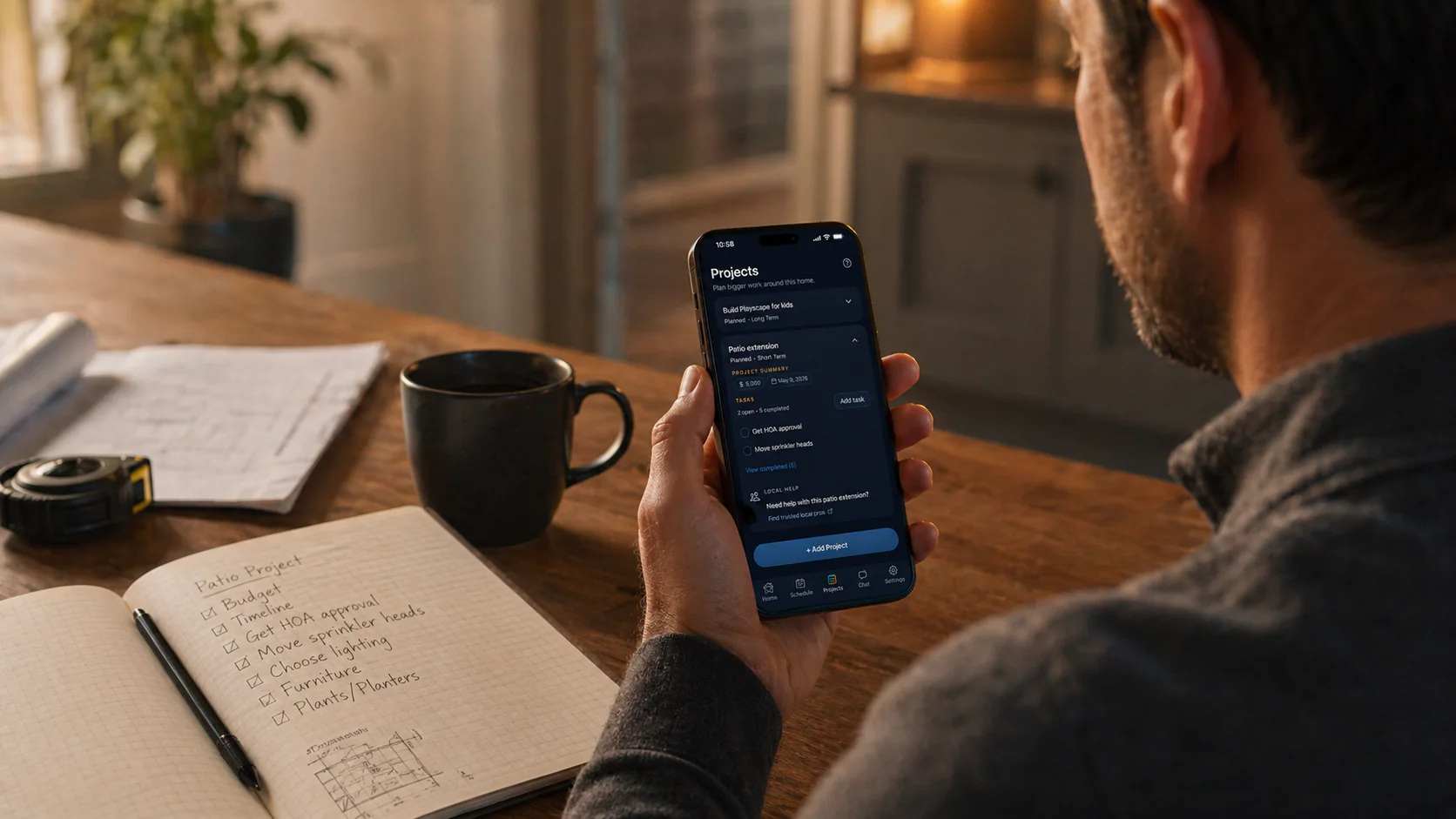
One home, one context
The next task, saved supplies, and house notes stay scoped to the same home.
Shared visibility
The people who run the home can work from the same household memory instead of keeping separate lists.
Bigger work too
Projects, repairs, and future ideas stay connected to everyday household work.
Everyday household work
When home life is spread across too many places.
Household work rarely stays in one category. There are chores, supplies, projects, appliance details, house notes, and the occasional question about what to do next. Heart Of The House keeps those pieces connected inside one home.
Why it feels calmer
Home memory first.
The app is built around the saved home record first. AI is there to help you move faster inside it, not turn the product into a chat-only tool.
- Busy homeowners who want one calm system
- Families managing recurring household work together
- Households with projects, supplies, and equipment details that should stay connected
Home view and next steps
Open the home, see what is due, and keep the most important follow-up visible without sorting through unrelated noise.
Equipment and supply memory
Save the systems and appliances this home has, use Add From Photo when labels help, and keep linked supplies close to the right record.
Projects and house history
Track upgrades, repairs, purchases, and important home events so the household story stays easy to revisit.

Home memory
Give each home its own memory.
Tasks, equipment, supplies, projects, notes, home history, and AI help stay attached to the place they belong.
How Heart Of The House helps
Give the family one place to look.
Tasks, supplies, project notes, and house history are more useful when they live together. Heart Of The House keeps the shared context close enough that the next person can pick up the work without asking where everything went.
- Keep tasks, equipment, supplies, projects, notes, and home history in one place
- Use AI help that understands the specific home when relevant
- Work across iPhone, Android, desktop web, and mobile web with one account
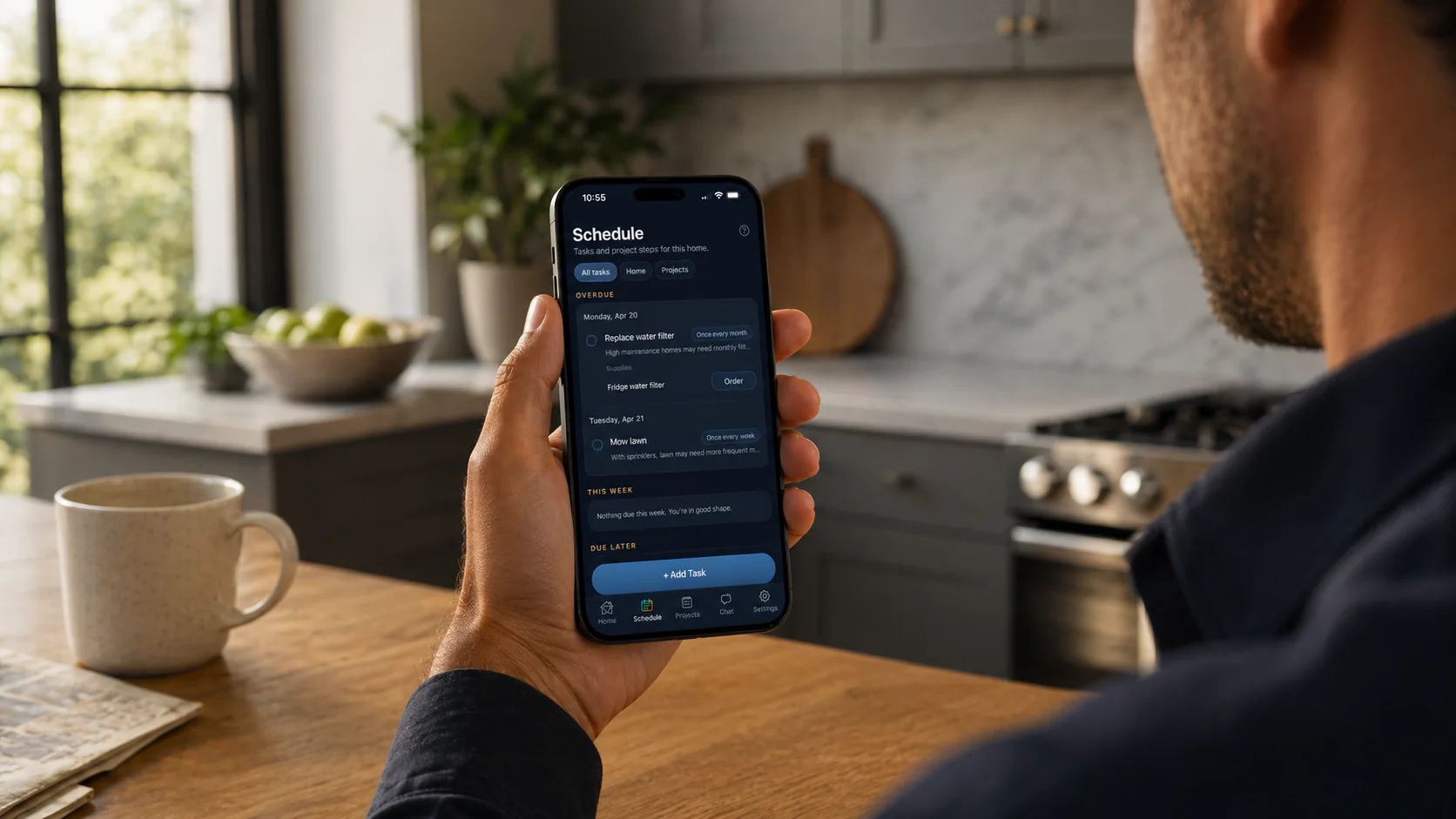
Schedule
See what is due now.
Recurring upkeep, dated work, and the next move stay in one calm view for that home.
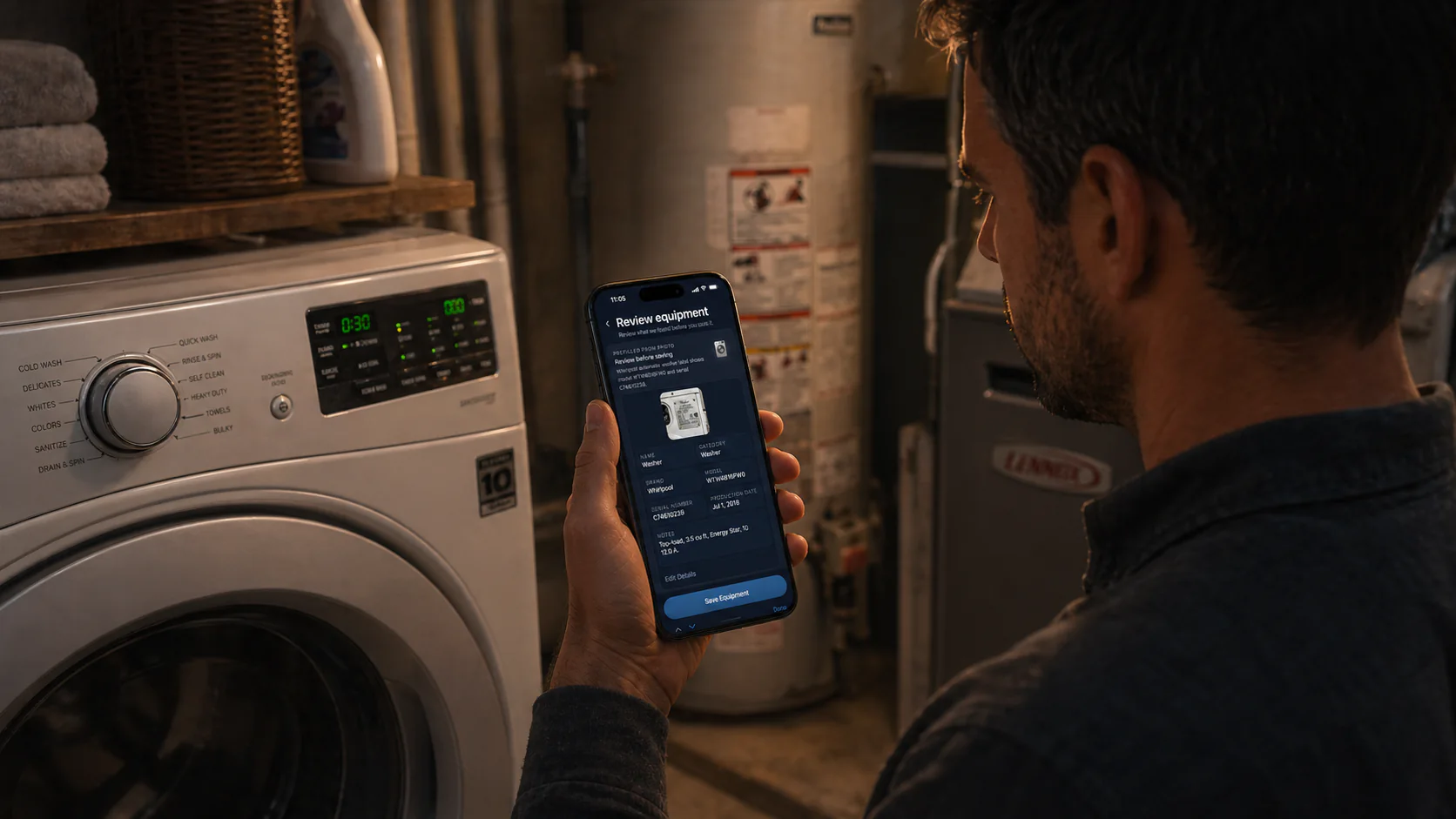
Equipment
Keep records useful.
Label details, model numbers, serials, and notes stay tied to the equipment and the home.
Supplies
Find the right replacement fast.
Repeat filters, parts, cleaners, and supplies can stay attached to the right home record.
FAQ
Common questions
What makes Heart Of The House a household management app?
It keeps household tasks, supplies, equipment, projects, notes, and home history in one home-based system instead of spreading them across separate lists.
Can families share one home in the app?
Yes. Paid plans support home sharing, so the people maintaining a home can work from the same tasks, supplies, and home memory.
Does it replace a chore app?
It can handle recurring chores, but it also keeps the house details behind those chores, such as supplies, equipment, projects, and maintenance history.
Is the AI the main product?
No. The saved home memory is the foundation. AI is a practical helper that uses the context of the home when you ask for help.
More to explore
Explore more ways to use it
01
02
03
04
Home management app
A calm home management app for homeowners who want tasks, supplies, equipment, projects, notes, house history, and AI help tied to the right home.
Home maintenance app
Heart Of The House is a home maintenance app that keeps recurring upkeep, supplies, equipment details, and house history in one calm home memory.
Home inventory app
Heart Of The House is a home inventory app for appliance and equipment tracking, linked supplies, label-photo capture, and house history.
AI home maintenance app
Heart Of The House pairs home-specific AI help with saved tasks, supplies, equipment, projects, and house history so suggestions start from the right details.
Download the app from the App Store or Google Play, or keep using the web app in your browser. One account keeps each home's memory together across iPhone, Android, desktop web, and mobile web.