
Capture the label once, then keep the model, serial, room, and notes tied to the same equipment record.
← Back to overview
Home inventory app
Keep equipment details with the home.
Heart Of The House keeps model numbers, serial numbers, linked supplies, and house history attached to the right equipment record.
Add From Photo helps save the label, room, brand, model, serial number, and linked supplies in one place.
Install Heart Of The House on iPhone or Android, or use it in your browser. One account keeps each home's memory together across iPhone, Android, desktop web, and mobile web.
Add From Photo
Equipment details
Model numbers
Serial numbers
Linked supplies
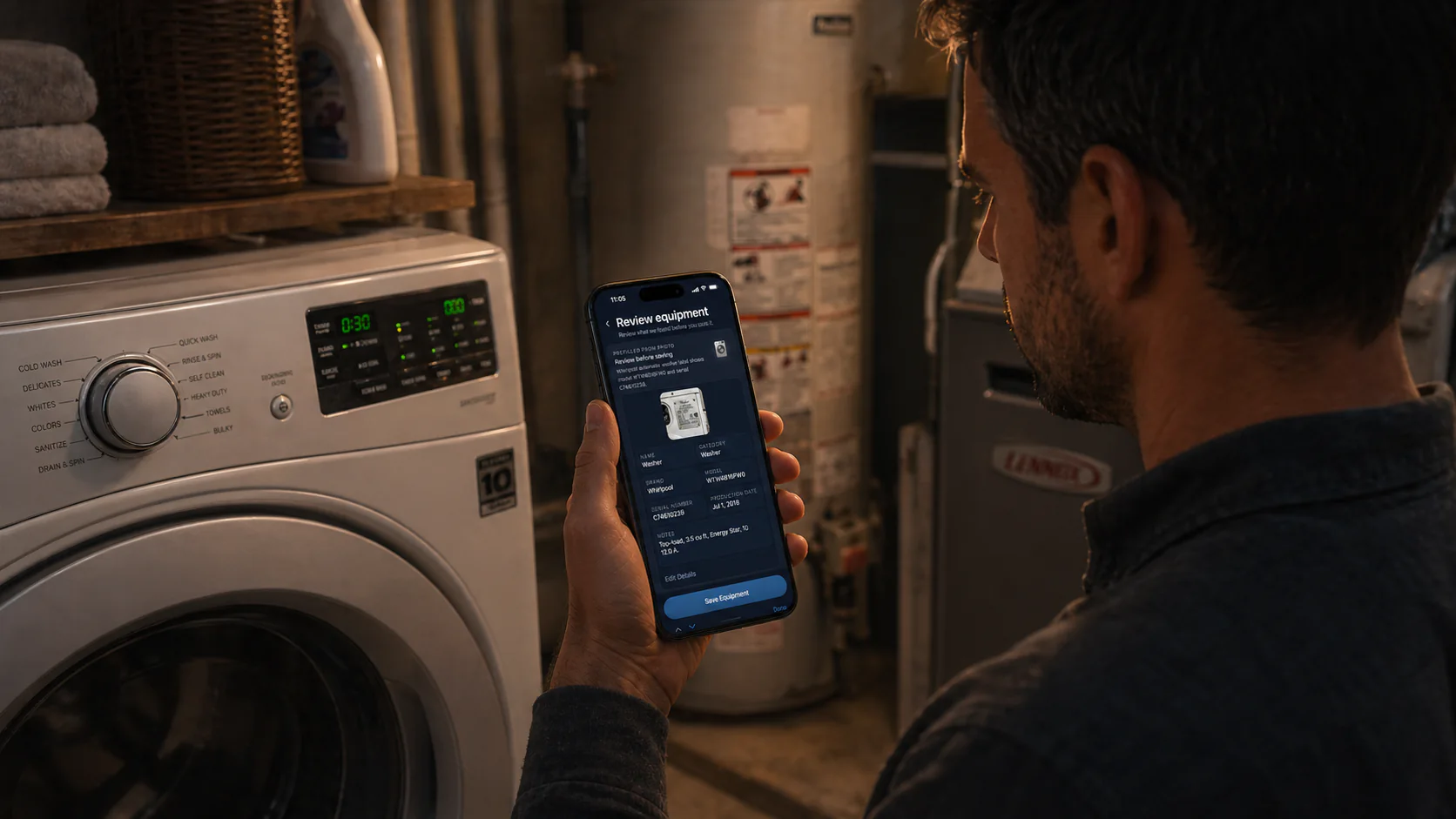

Capture once
Turn a label photo into a saved record faster than typing everything out by hand.
Remember specifics
Model numbers, serials, rooms, and notes stay attached to the exact equipment they belong to.
Stay useful later
Linked supplies and repair history make future maintenance start from the right record.
House memory
For running a home, not cataloging one.
Heart Of The House is strongest when your inventory problem is really a house-memory problem. Instead of managing a static valuables list, you keep the everyday operational details that make maintenance, reorders, and future repairs easier.
What your home remembers
What matters later.
It is built for practical house records, not a full insurance-style valuables catalog.
- Appliance and system records by room or space
- Model numbers, serial numbers, and saved label photo history
- Linked supplies, reorder links, and replacement planning
- Maintenance notes, repairs, and follow-up history
Add From Photo
Snap a label, review the extracted details, and save the equipment record faster than typing everything by hand.
Save model numbers and serial numbers
Keep exact equipment details with the saved item so you do not have to re-find them during maintenance, repairs, or warranty questions.
Link repeat supplies
Connect filters, cleaners, batteries, or replacement parts to the right equipment so reorders and future upkeep start from the right record.
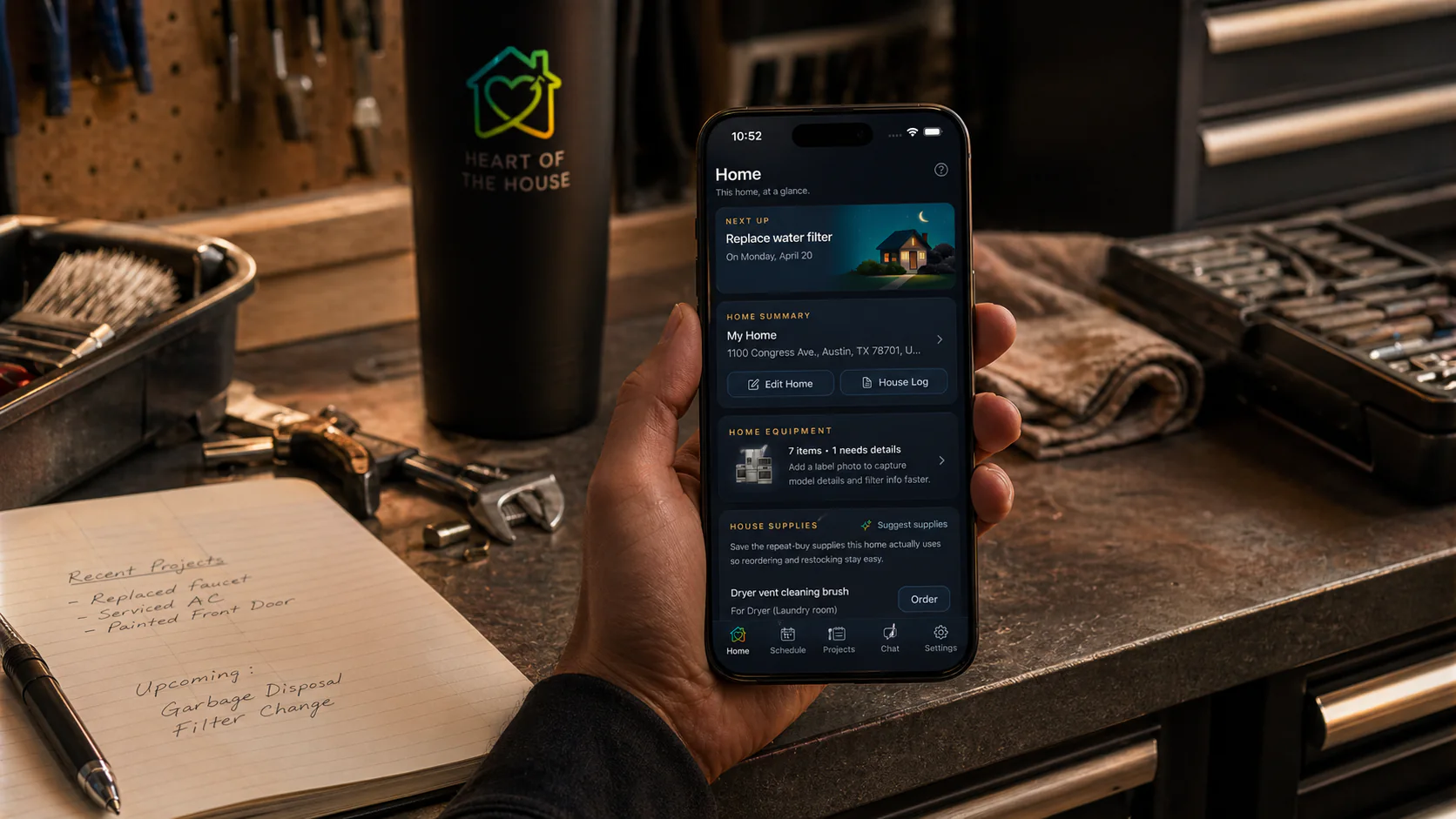
Home memory
Give each home its own memory.
Tasks, equipment, supplies, projects, notes, home history, and AI help stay attached to the place they belong.
How Heart Of The House helps
Useful later, not just today.
A home inventory app should help when something breaks, needs a replacement part, or comes back around on the maintenance schedule. Heart Of The House keeps the records close to the work they support.
- Keep tasks, equipment, supplies, projects, notes, and home history in one place
- Use AI help that understands the specific home when relevant
- Work across iPhone, Android, desktop web, and mobile web with one account
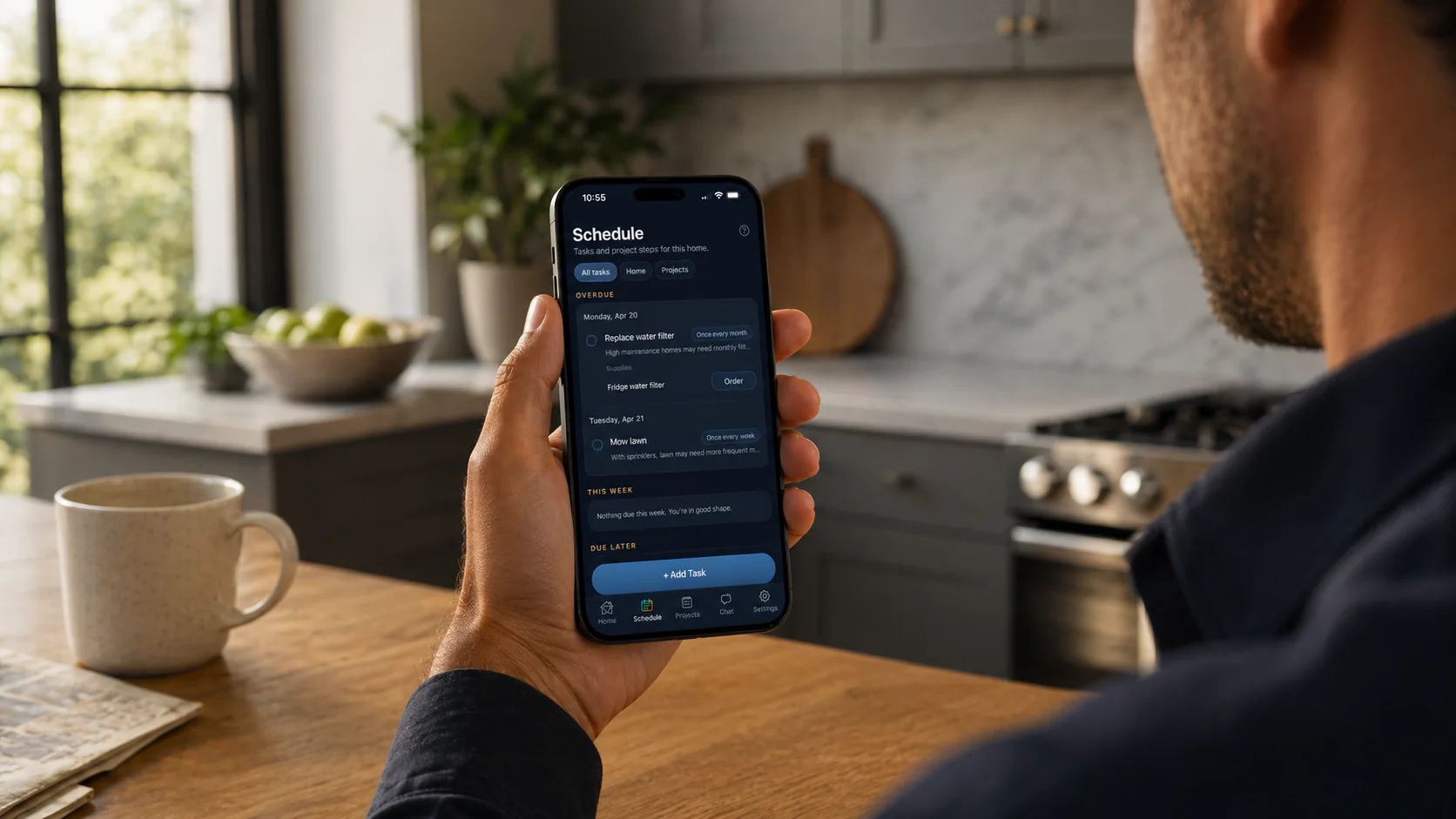
Schedule
See what is due now.
Recurring upkeep, dated work, and the next move stay in one calm view for that home.
Equipment
Keep records useful.
Label details, model numbers, serials, and notes stay tied to the equipment and the home.
Supplies
Find the right replacement fast.
Repeat filters, parts, cleaners, and supplies can stay attached to the right home record.
FAQ
Common questions
Is Heart Of The House a home inventory app?
Yes, for practical home equipment and supply memory. It tracks appliances, systems, model numbers, serial numbers, linked supplies, notes, and home history.
Is it an insurance inventory app?
No. It is built for operational home records such as equipment, supplies, maintenance, and repairs, not a full valuables catalog for insurance claims.
Can I scan equipment labels?
Yes. Add From Photo helps capture label details so you can review and save brand, model, serial, room, and notes.
Can supplies link to equipment?
Yes. Supplies can be linked to equipment so repeat filters, batteries, cleaners, and replacement parts stay attached to the right record.
More to explore
Explore more ways to use it
01
02
03
04
Home management app
A calm home management app for homeowners who want tasks, supplies, equipment, projects, notes, house history, and AI help tied to the right home.
Home maintenance app
Heart Of The House is a home maintenance app that keeps recurring upkeep, supplies, equipment details, and house history in one calm home memory.
Household management app
Heart Of The House is a household management app where couples and families keep one shared home memory for tasks, supplies, equipment, projects, and house history.
AI home maintenance app
Heart Of The House pairs home-specific AI help with saved tasks, supplies, equipment, projects, and house history so suggestions start from the right details.
Download the app from the App Store or Google Play, or keep using the web app in your browser. One account keeps each home's memory together across iPhone, Android, desktop web, and mobile web.