
The goal is not to automate the whole house. It is to help you move faster inside the home memory you are already building.
← Back to overview
AI home maintenance app
Get AI help that understands the home.
Heart Of The House gives AI the details that matter: the home, its equipment, its supplies, its projects, and its history.
Ask for help planning maintenance, identifying labels or parts, organizing projects, or deciding what to do next without starting from a blank chat.
Install Heart Of The House on iPhone or Android, or use it in your browser. One account keeps each home's memory together across iPhone, Android, desktop web, and mobile web.
Home-aware AI
Photo help
Task planning
Supply suggestions
Project help

Home details
Ask about the home that is already open, including saved equipment, tasks, supplies, notes, and projects.
Photo help
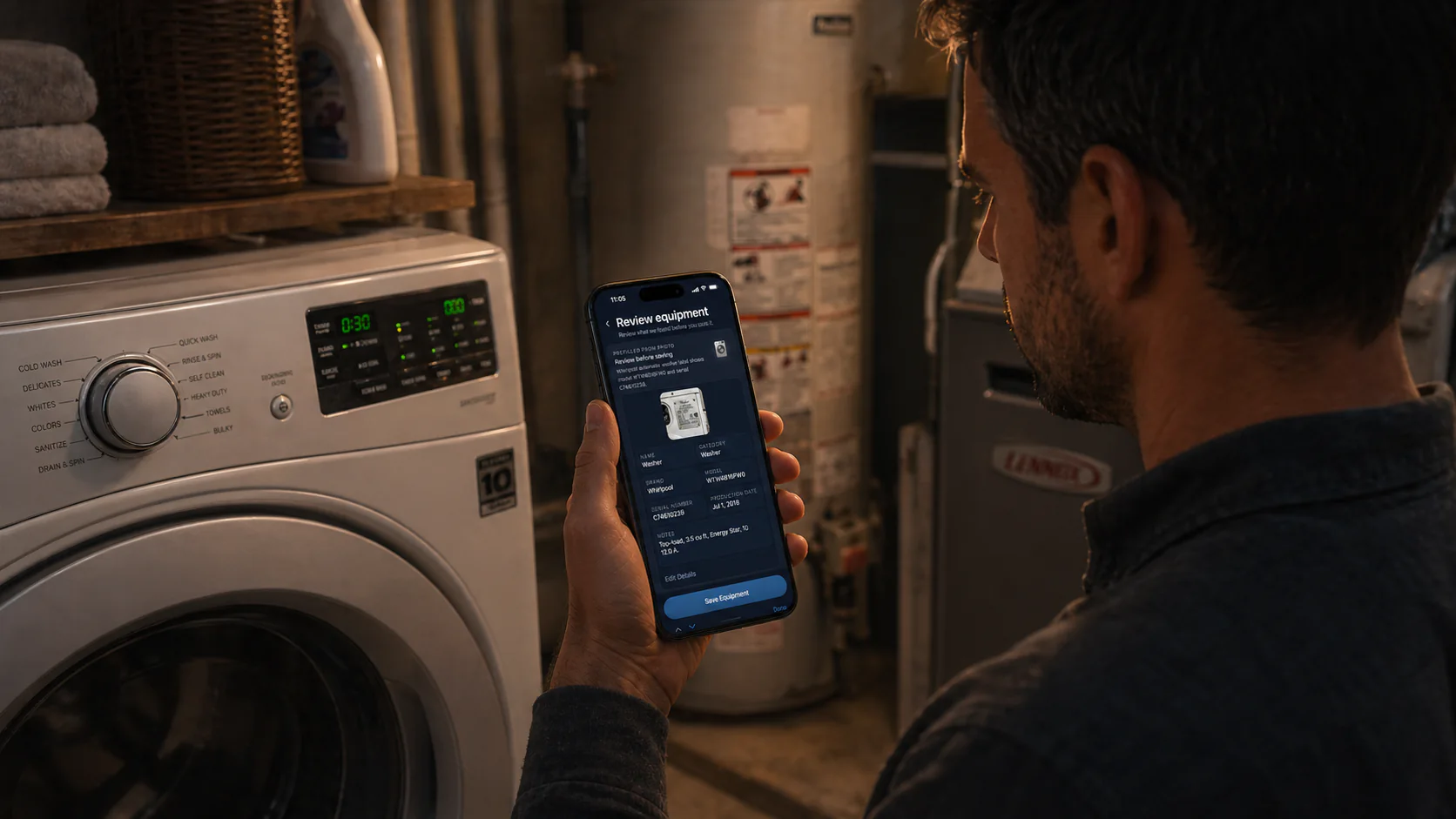
Use photos when a label, part, appliance, plant, or problem area is easier to show than describe.
Save what matters
Turn useful suggestions into tasks, supplies, projects, or notes only when you choose to save them.
AI with a place to stand
Most AI home advice starts with no memory.
Generic answers can be useful, but home maintenance usually depends on the specific home. Heart Of The House keeps AI close to the saved record so the answer can fit the property, equipment, supplies, and current work.
Founder-built restraint
Use AI where it helps the work.
Heart Of The House is intentionally not a chat-only product. AI supports the home memory you are building, while you choose what becomes part of the record.
- Ask what to prioritize for this home
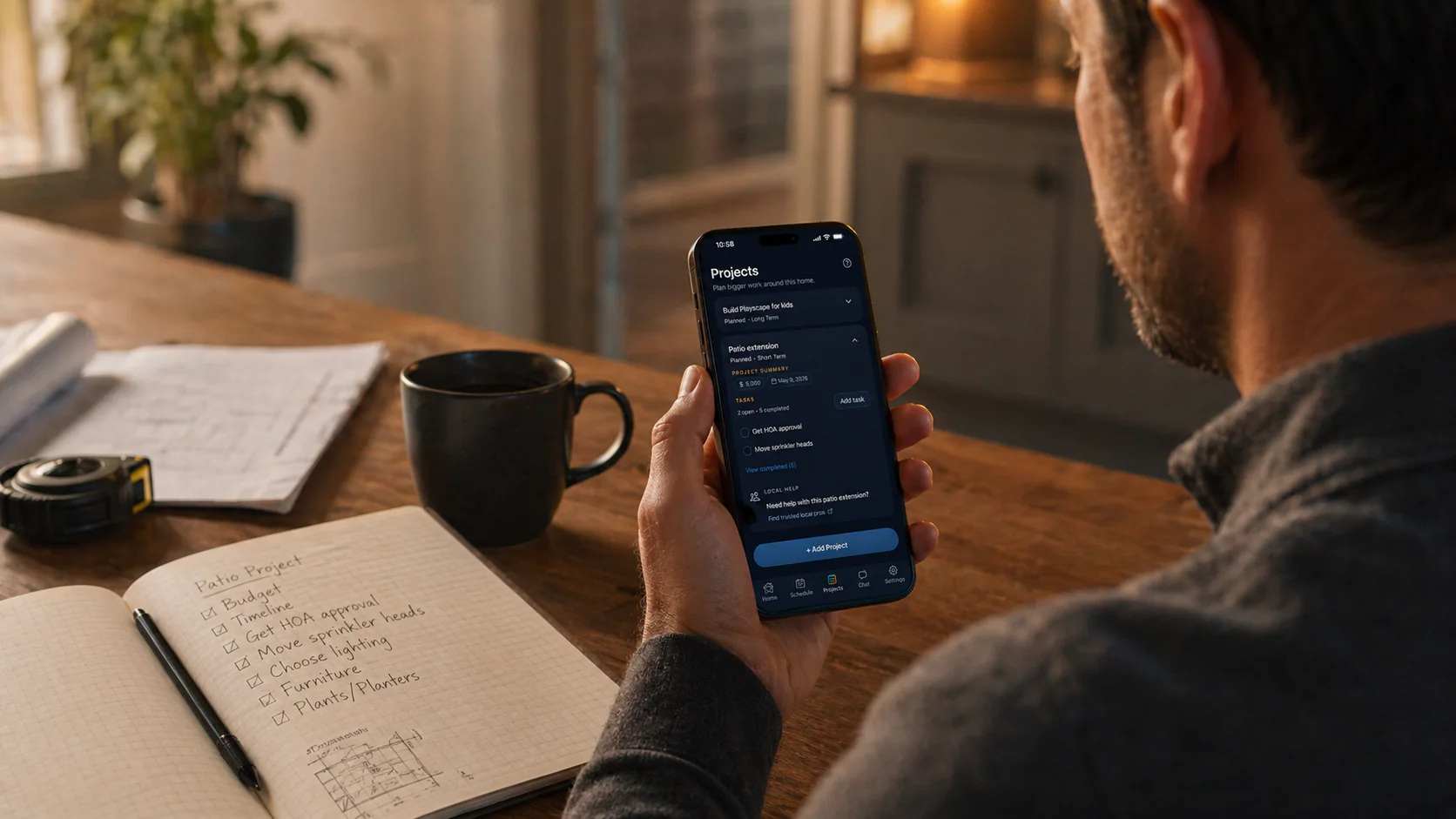
- Turn a project idea into practical next steps
- Use a photo to identify a label, part, or issue
- Create or save tasks, supplies, projects, and notes when you ask
Home-aware chat
Ask questions with the relevant tasks, equipment, supplies, notes, and projects close by.
Photo-assisted help
Upload photos for labels, parts, appliances, plants, and problem areas when text is not enough.
Planning support
Use AI to suggest tasks, supplies, and project steps, then review before saving.
Home memory
Give each home its own memory.
Tasks, equipment, supplies, projects, notes, home history, and AI help stay attached to the place they belong.
How Heart Of The House helps
AI should lower the mental load, not take over.
The app keeps human review in the path. You can ask for help, get practical suggestions, and choose what to save to the home memory.
- Keep tasks, equipment, supplies, projects, notes, and home history in one place
- Use AI help that understands the specific home when relevant
- Work across iPhone, Android, desktop web, and mobile web with one account
Schedule
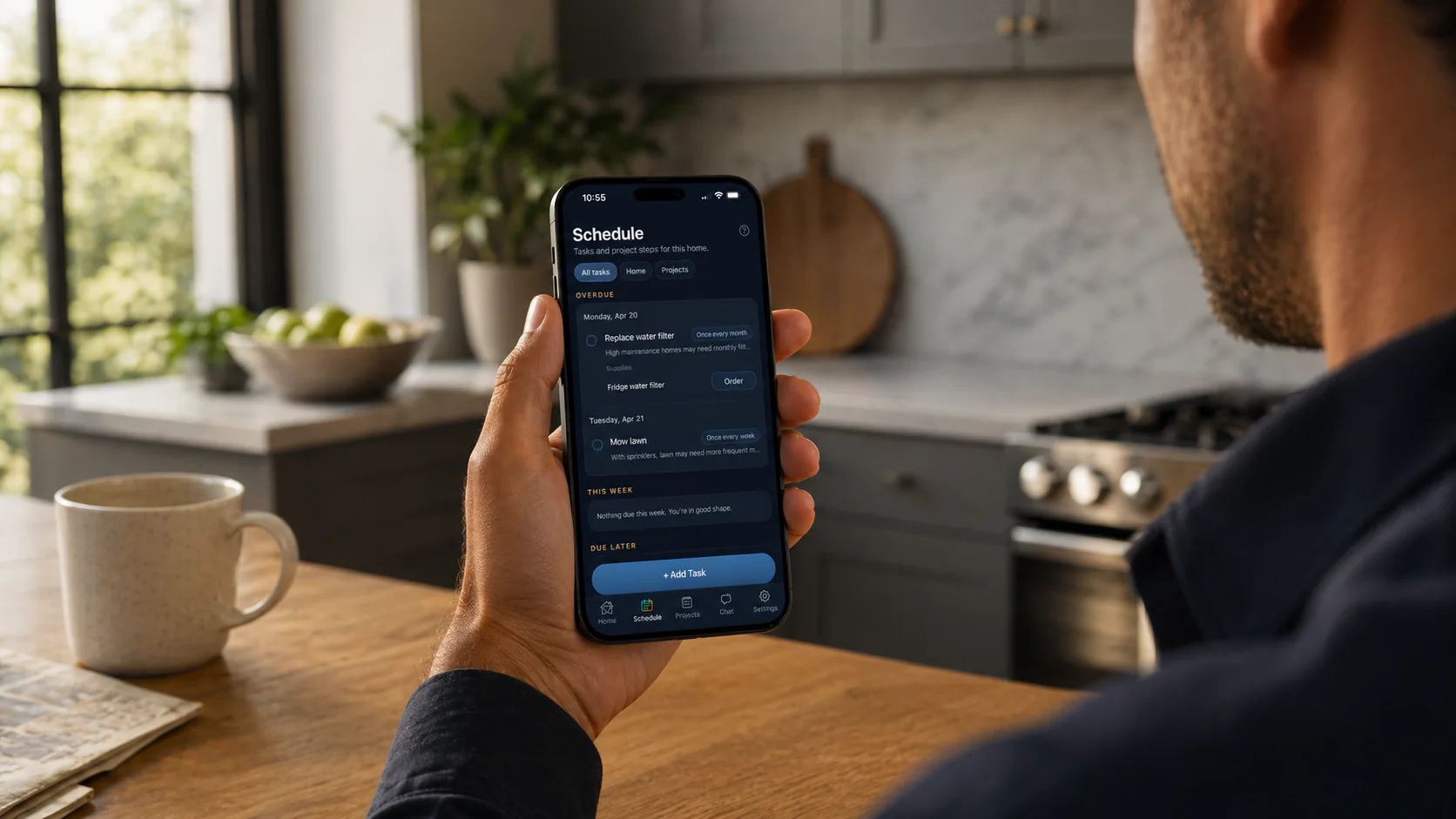
See what is due now.
Recurring upkeep, dated work, and the next move stay in one calm view for that home.
Equipment
Keep records useful.
Label details, model numbers, serials, and notes stay tied to the equipment and the home.

Supplies
Find the right replacement fast.
Repeat filters, parts, cleaners, and supplies can stay attached to the right home record.
FAQ
Common questions
What is an AI home maintenance app?
It is an app that uses AI to help with home upkeep, planning, equipment questions, and photo-based help while staying grounded in a specific home record.
Does Heart Of The House automatically change my home data?
No. AI can suggest and draft, but you stay in control of what gets saved to the home.
Can AI use photos?
Yes. Photo help can assist with labels, parts, appliances, plants, and problem areas when a picture is the clearest input.
Can I use AI without making it the whole app?
Yes. Tasks, supplies, equipment, projects, and history stay at the center. AI is there when it helps.
More to explore
Explore more ways to use it
01
02
03
04
Home management app
A calm home management app for homeowners who want tasks, supplies, equipment, projects, notes, house history, and AI help tied to the right home.
Home maintenance app
Heart Of The House is a home maintenance app that keeps recurring upkeep, supplies, equipment details, and house history in one calm home memory.
Home inventory app
Heart Of The House is a home inventory app for appliance and equipment tracking, linked supplies, label-photo capture, and house history.
Household management app
Heart Of The House is a household management app where couples and families keep one shared home memory for tasks, supplies, equipment, projects, and house history.
Download the app from the App Store or Google Play, or keep using the web app in your browser. One account keeps each home's memory together across iPhone, Android, desktop web, and mobile web.